Use your own handwriting: what to upload
ymwrite (云猫快写) can write your pages in your own handwriting instead of a ready-made style. On every plan, free accounts included, that covers digits, letters and math formulas. Writing Chinese in your own handwriting is part of YunMao Pro.
It works from pages you have already written by hand. You upload them, ymwrite picks out the digits and letters it finds, and once all of 0–9, a–z and A–Z are there, the digits and letters on your pages are written with the ones you wrote. Until then they come from one ready-made style, so your letters and a ready-made style's are never mixed on one page.
In ymwrite, a “font” (字体) is your handwriting inside your account. There is nothing to install, and it writes only for you.
Before you start
- Only your own handwriting. You may upload only your own handwriting, and when you upload you confirm that it is yours. Using someone else's handwriting breaks the usage rules, and so does using ymwrite to forge signatures, IOUs, contracts or other documents.
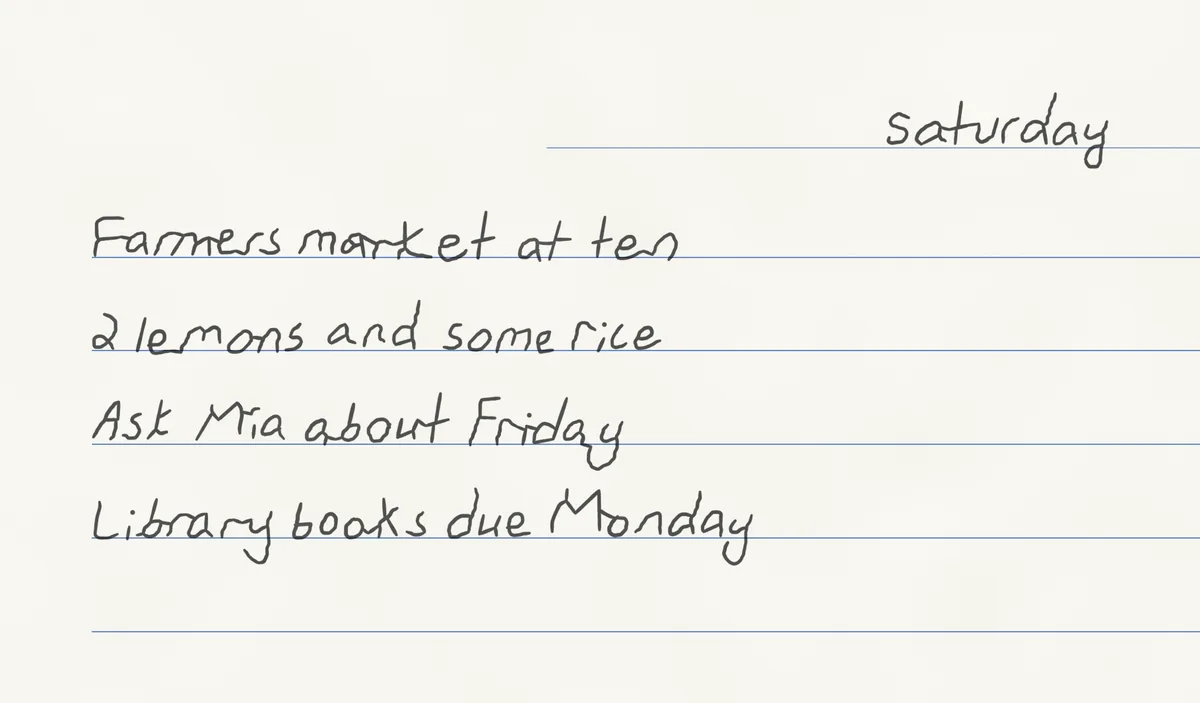
- Anything handwritten works. Lecture notes, drafts, practice sheets. Chinese, English and equations can be on the same page; you do not need to sort them.
- No printed text. Only handwriting is used.
- Good photos. Write on white or graph paper, and photograph each page flat, sharp and in even light, without shadows.
1. Open My fonts
Sign in first: uploading needs an account. At the top of the workspace, open 我的字体 (My fonts), choose + 新建字体 (New), type a name and press 新建 (Create). The upload box appears, headed 上传你写过的字 (Upload characters you have written).
2. Photograph and upload
On a phone, use 拍照 (Take photo) or 从相册选 (Choose from library). On a computer, use 选照片或 PDF (Choose photos or PDF), or drag the files into the box. The first time, you confirm 我同意按说明处理本人的笔迹样本 (“I agree to the processing of my own handwriting samples as described”); 查看完整说明 (See the full text) opens the details. Then press 确认并上传 (Confirm and upload).
3. Wait for the check, then copy what is missing
Each page is checked automatically. This takes a little while for each page; you can leave while it runs, and the page updates when the check is done. Then you see one of two results:
- 写齐了,数字和字母会用你自己写的。 (“Complete: digits and letters will be your own.”) Every digit and letter was found, and from now on they are written in your hand.
- 还差 … (“Still missing …”), followed by the characters that were not found. Choose 照着抄一页 (Copy a page). You get a list of each missing character, line by line, and how many times to write it; a long list is split over a few sheets. Copy each sheet onto paper, photograph it and upload it the same way, one sheet at a time, in any order.
You do not need a special alphabet sheet: ordinary notes work, and the copy sheet asks only for what is still missing.
4. Formulas in your own hand
Your handwriting in 我的字体 also has a 数学 (Math) section for formulas. Upload pages of your own handwritten math, such as worked examples or lecture notes. ymwrite reads the equations on them and builds your math set from the symbols you wrote, so formulas are written your way too. ymwrite tries to recognize pages with equations by itself; if one was missed, change that page's label to 有算式 (has equations). Formulas in your own hand are available on every plan, free accounts included.
5. Write with it
Back in a chat, open the 字体 (Handwriting) dialog from the bar under the page (中文, 数学 or 英文). Your handwriting is listed there once it is ready: choose it and press 用这些 (Use these). Or just tell the AI “write it in my handwriting.” In 我的字体, 设为默认 (Set as default) makes new chats start with it.
English text uses your own letters once all of them are in; until then it uses a ready-made English style. The whole flow, from a page of questions to a download, is in Handwritten math answers on paper, step by step.
Chinese in your own handwriting (YunMao Pro)
Writing Chinese in your own handwriting is part of YunMao Pro (pricing, in Chinese). You do not need to start over when you upgrade: the Chinese characters on pages you uploaded on a free account are kept, so you will not have to upload them again. With YunMao Pro, those pages are used to set up your Chinese handwriting (建立我的字体, Build my handwriting), and you can then choose it for 中文.
Your samples and your privacy
- Your uploaded pages are used only to set up your own handwriting, and it writes only for you.
- ymwrite does not use your content to train or improve general AI models, and does not allow its model providers to do so (subject to their commercial terms).
- Until a Chinese handwriting set is built (on a free account, for example), your uploaded pages are kept. 删除字体 (Delete) removes this handwriting and all of its samples; pages you have already written stay as they are.
More in the privacy policy (in Chinese).
Next: Handwritten math answers on paper, step by step · Real handwriting vs handwriting fonts
The English handwriting in these images comes from the GNHK dataset (GoodNotes, CC BY 4.0) and NIST Special Database 19.