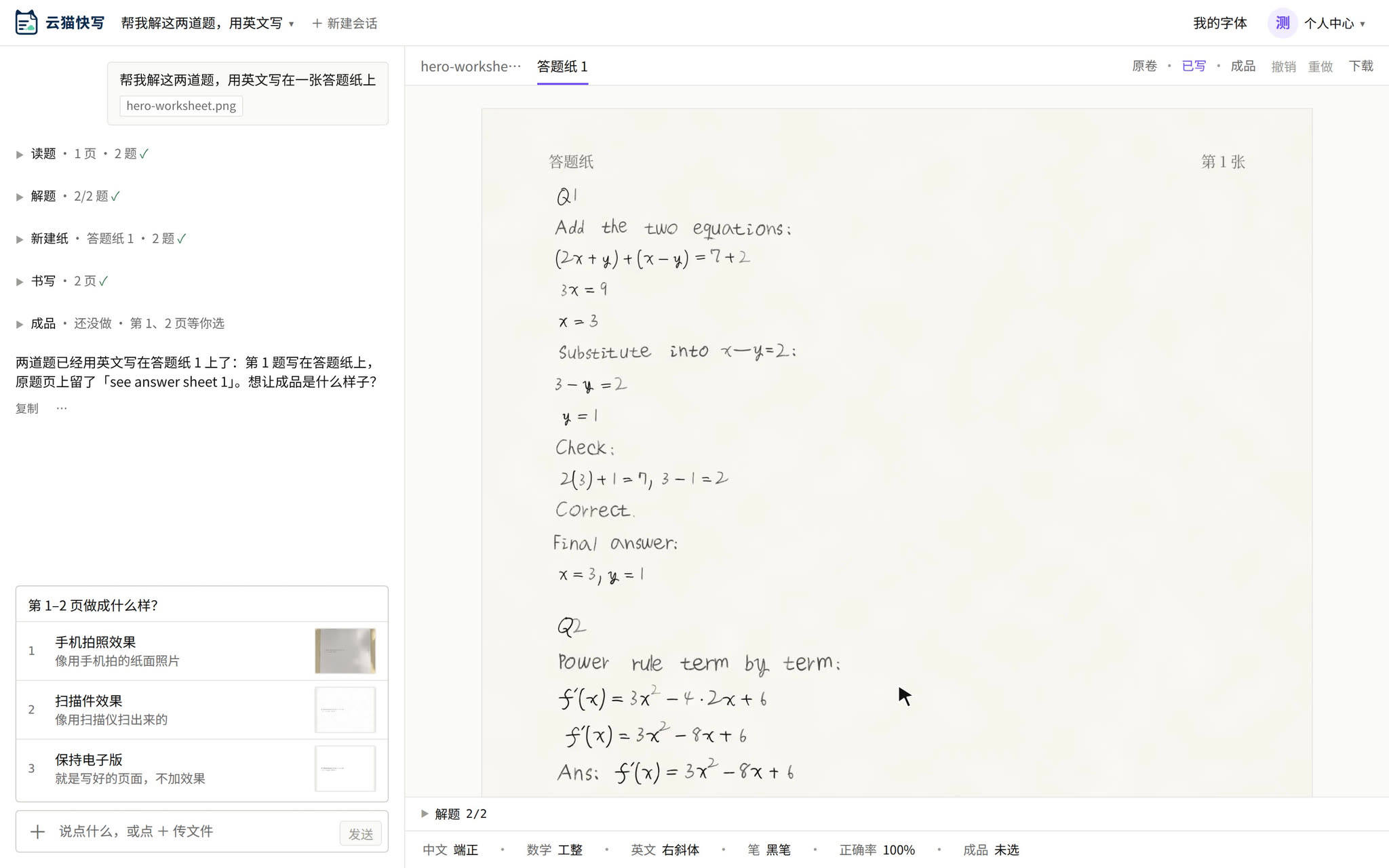
AI writes math answers
in your own handwriting
The workspace is in Chinese. You can write to the AI in English. What the Chinese labels mean
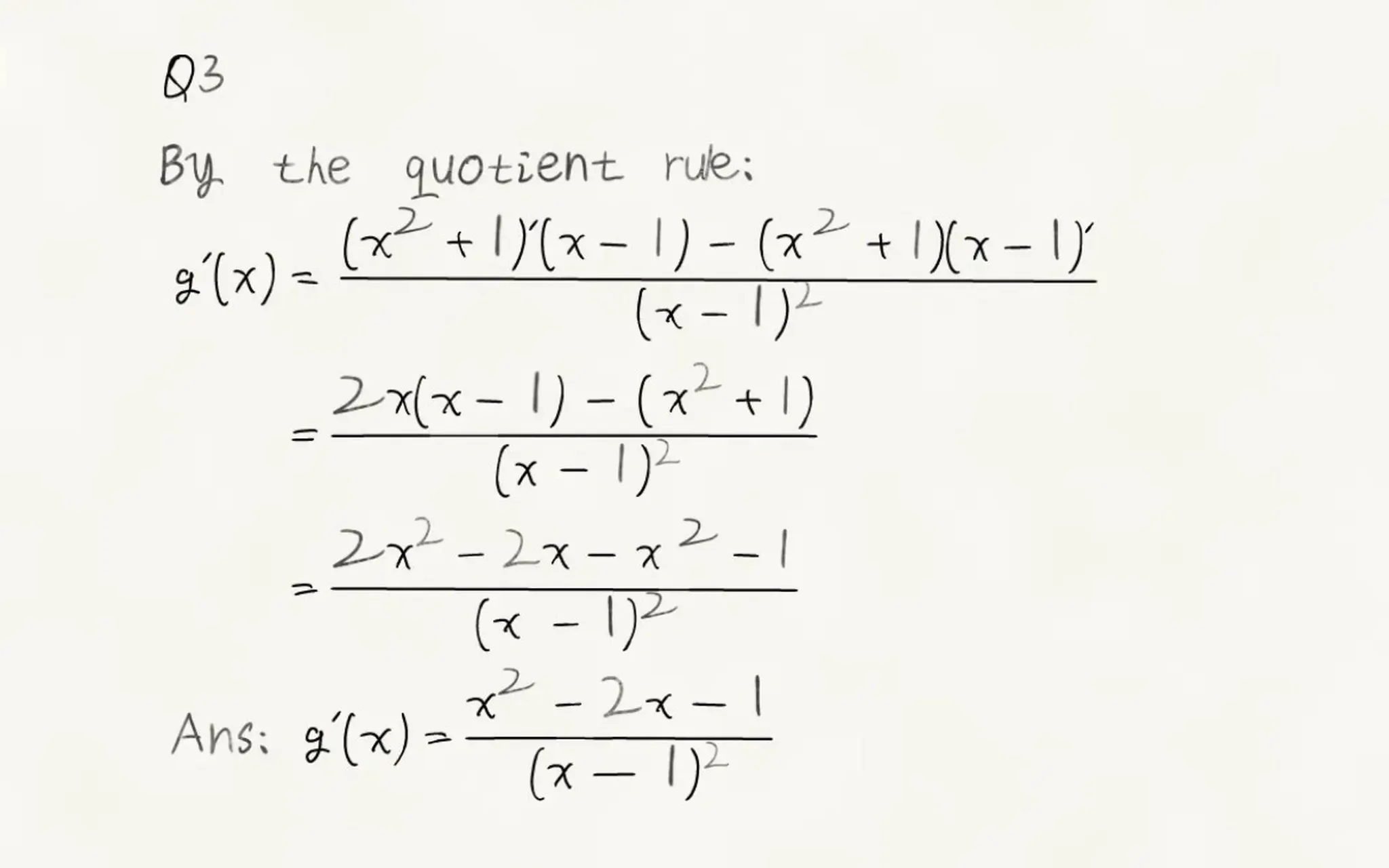
Written in your own handwriting
Digits, letters and formulas in your own hand, on every plan.


College math formulas, too
- Integrals
- Matrices
- Fractions
- Superscripts and subscripts

Every character is editable
- Another variant
- Rewrite one line
- Move a whole block


How is this different from other handwriting tools?
| ymwrite | Typical handwriting tools | |
|---|---|---|
| On the page | Real handwriting: the ready-made styles are made from real people's handwriting, or you can use your own. The same character comes out a little different each time. | Mostly handwriting fonts: the same letter repeats the same drawing. |
| Your own handwriting | Upload pages of your own digits, letters and equations as the app guides you; once every one is in, your pages are written in your hand. Free accounts can do this; Chinese in your own handwriting needs YunMao Pro. | Usually you can only choose from ready-made fonts. |
| What gets written | Hand it to the AI in a chat: it reads the file you upload, drafts the answers or text, and lays them straight onto the paper. | You type out all the text yourself first. |
| Math formulas | Integrals, sums, matrices and piecewise functions laid out the way people write them. | A formula is often just a line of plain text. |
| After writing | Drag, resize or give any character another variant, or tell the AI what to change. | Usually one image: to change it, you redo the whole page. |
A page in three steps
Hand the content to the AI
Take a photo of what needs writing, upload a file, or just type it. Then say in the chat how you want it written.
Pick the handwriting and the paper
Use a ready-made style (made from real people's handwriting) or upload your own. Then choose Chinese grid paper, lined paper, letter paper or blank paper.
Check the page, fix any character, download
Look over the whole page first. Tell the AI what to change, or drag a single character yourself. When you are happy with it, download images or a PDF.
Sample pages
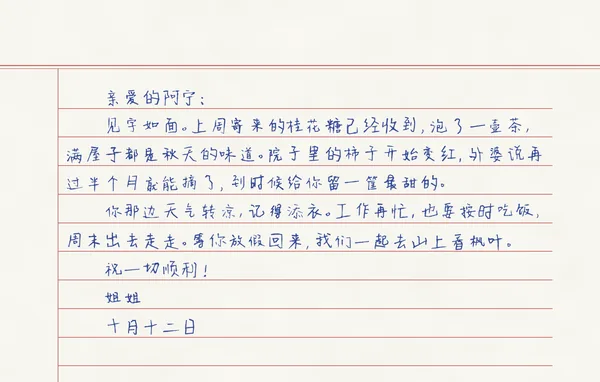
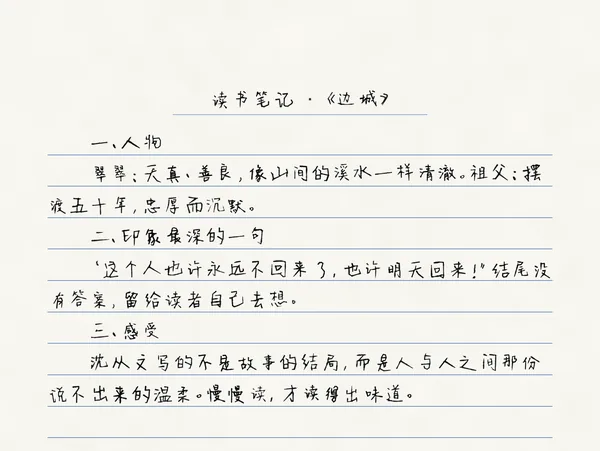
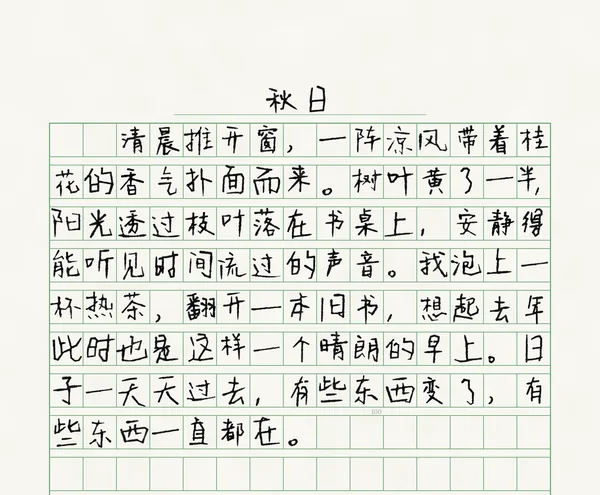
Written by ymwrite in the ready-made style 端正 (“Upright”), made from a real writer's handwriting. These three pages are in Chinese; for English pages, see the sections above.
Questions
What is AI-generated real handwriting?
Type the text, or ask the AI to draft it; then choose a real-handwriting style, a paper type and a pen color, and ymwrite writes it out as a full page. Check the preview, then download images or a PDF. The paper only carries real people's handwriting, never a computer font, and every character on the finished page can still be adjusted.
Can I use my own handwriting?
Yes. Following the prompts in the app, write on paper, then photograph or scan the pages and upload them. ymwrite picks out the digits and letters (0–9, a–z, A–Z); once every one of them is there, digits and letters are written in your own hand. Free accounts can do this. Writing Chinese in your own handwriting needs YunMao Pro; the Chinese characters on pages you upload on a free account are kept, so you will not need to upload them again. You may only upload your own handwriting. See Use your own handwriting.
Can it write formulas and math symbols?
Yes. Common formulas and math symbols can all be written; a symbol that a style does not have is replaced with a close equivalent. You can also upload equations you have written, so formulas are in your own handwriting too.
Can it write English?
Yes. Choose English when writing, and the text is written in a ready-made style made from real people's handwriting. Once you have uploaded your own handwriting and every digit and letter is there, English is written with your own letters.
What is a ready-made handwriting style?
A ready-made style is made from real people's handwriting, not a computer font. There are several to choose from, and free accounts can use them.
Can it write on grid paper, lined paper or letter paper?
Yes. Choose Chinese grid (manuscript) paper, lined paper, letter paper or blank paper, and set the paper size, line color and pen color. Titles and automatic page breaks are supported.
Can I download the handwriting and use it in Word or on my computer?
No. The handwriting styles work only inside your ymwrite account, and there is nothing to install. What you can download is the written page: images or a PDF.
Is the app in English?
No. The workspace's menus and buttons are in Chinese, and so are the terms of use and the privacy policy. You can write to the AI in English and it answers in English (progress lines and a few buttons in the chat stay in Chinese), and the pages themselves can be written in English. See What the Chinese labels mean.
Learn more
ymwrite (云猫快写, ymwrite.com) is a web tool for AI-generated real handwriting: type the text or ask the AI to draft it, choose a style made from real people's handwriting, and write it on Chinese grid paper, lined paper, letter paper or blank paper. Preview the whole page, then download images or a PDF. The paper carries real people's handwriting only, never a computer font. Upload characters you have written and ymwrite writes with your own digits, letters and formulas, even on a free account; with YunMao Pro, Chinese in your own handwriting too. The workspace is in Chinese.
- Handwritten math answers, step by stepFrom a page of questions to a download, with the main Chinese labels explained
- Use your own handwritingWhat to upload and how to photograph it
- Real handwriting vs handwriting fontsWhat changes when a page is written from real people's handwriting
- Text to handwritingTurn typed text into a handwritten page, step by step
Nothing to install. Open your browser and write.
The workspace is in Chinese. You can write to the AI in English.