Real handwriting vs. handwriting fonts: what is the difference?
Search for a handwriting generator and many of the tools you find set your text in a handwriting font. ymwrite (云猫快写) works differently: the AI drafts the content, and the page is written in a style made from real people's handwriting. We call that combination AI-generated real handwriting. This page explains the difference in plain terms, and when a font is the better choice.
What a handwriting font is
A font stores a fixed drawing for each character. However handwritten it looks, every “e” on the page is the same drawing, or one of a few alternates the font rotates through, placed on the same line with the spacing the font sets.
Handwriting fonts are made by type designers, often from a sample of someone's writing. They work well where a font belongs: a heading, a greeting card, a label you will keep editing in a word processor.
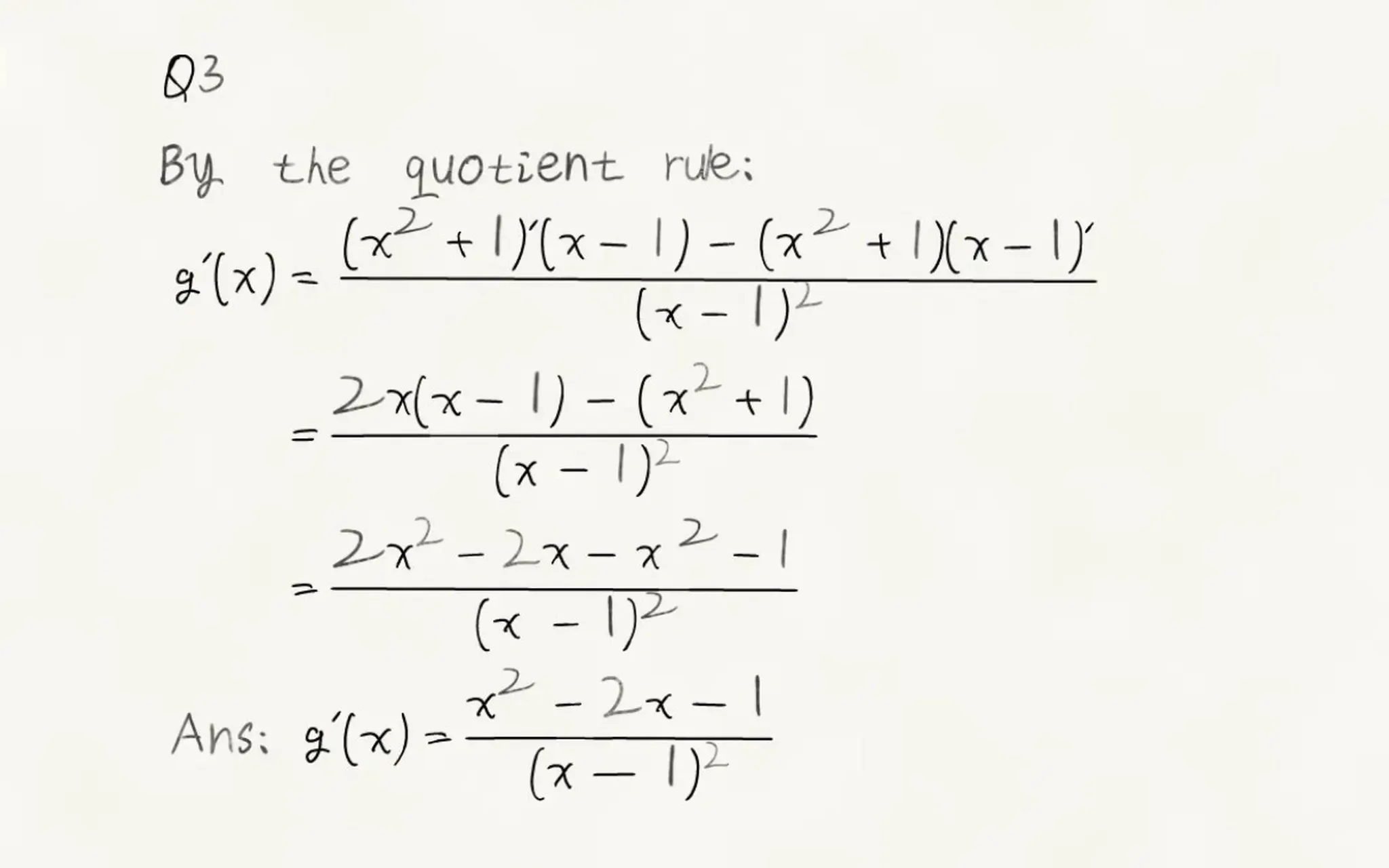
On a full page the repetition can show: matching letters, perfectly level lines, the same gap between words. Math is harder still. A font has no notion of fractions or matrices, so a formula usually becomes a single line of text such as (x^2+1)/(x-1).
What real handwriting means in ymwrite
Ready-made styles are made from real people's handwriting, not drawn as a font. You can choose among several, on a free account too.
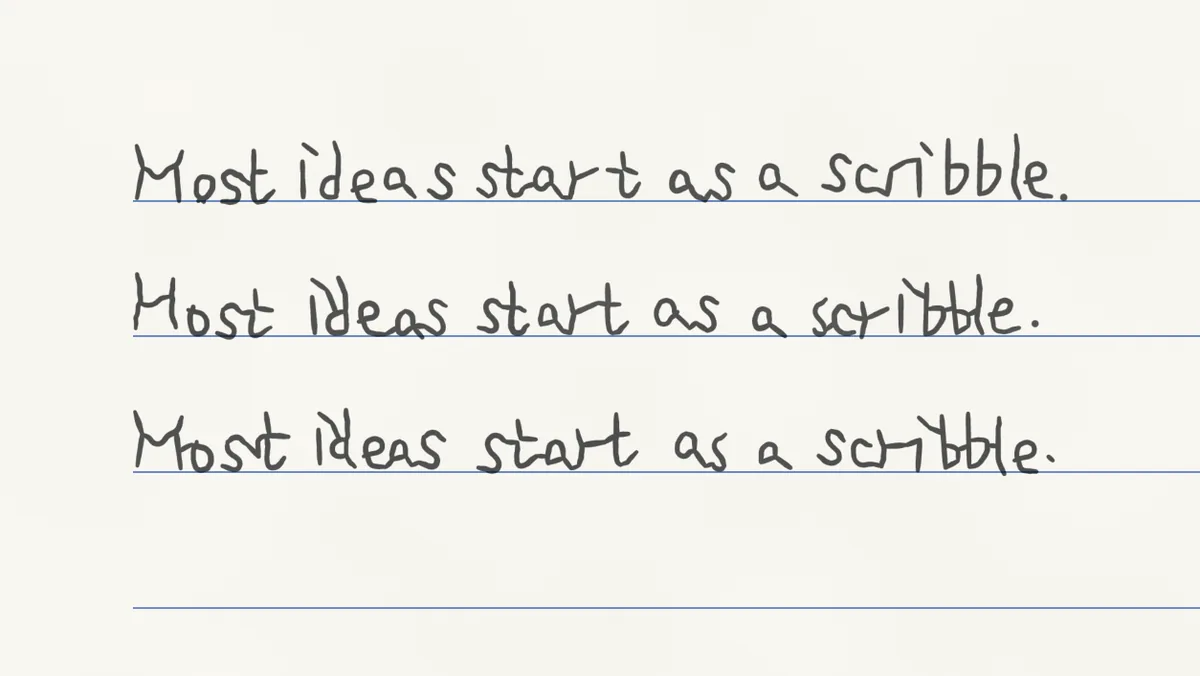
The same character does not come out identical. Each time a character comes up it is placed with small changes in shape, size, spacing and position, and where the style has more than one writing of it (as the English styles do for most letters), a different one may be used. The sentence below was written three times on one page; compare any letter from line to line.
Math is laid out as handwriting. Fractions are stacked over a bar, exponents and subscripts sit above and below the line, matrices stand in brackets, and integrals carry their limits.
Your own handwriting is an option. See Use your own handwriting for what to upload.
Where the AI comes in
The AI drafts the content. It reads the file you upload, such as a page of questions or your notes, and writes the answers or the text you asked for; in the chat you can ask it to change anything. ymwrite then writes that content on paper in a style made from real people's handwriting, never in a computer font.
The AI can be wrong, so check what it wrote before you use it. Every character on the page is placed on its own, so afterwards you can still move or resize any character, give it another variant, or ask the AI to change a line.
Side by side
| Handwriting font | ymwrite | |
|---|---|---|
| The same letter twice | The same drawing, or one of its alternates | Placed a little differently each time; often a different writing |
| Lines and spacing | Level lines, even spacing | Small variations from line to line |
| What you end up with | A font to install and type with | Finished pages, as images or a PDF |
When a font is the better choice
If you want text you can keep editing in a word processor, a heading for a poster, or a typed document with a handwritten feel, a handwriting font is the simpler tool. It works in any app that lets you choose a font, and a line or two rarely shows the repetition that a full page does. ymwrite gives you nothing to install. What it makes are finished pages: you check them, change what you need, and download images or a PDF.
If you want a page of answers, notes or a letter written out in handwriting, with the math laid out properly, that is what ymwrite is for. Handwritten math answers on paper, step by step follows a whole page from start to finish.
Next: Handwritten math answers on paper, step by step · Use your own handwriting
The English handwriting in these images comes from the GNHK dataset (GoodNotes, CC BY 4.0).