Text to handwriting: how to convert typed text into a handwritten page
To convert text to handwriting with ymwrite (云猫快写), paste or type your text into the chat, say which paper and handwriting you want, check the page it writes, and download it as a PDF. The page is written in a style made from real people's handwriting, or in your own, never in a computer font. It works in the browser, there is nothing to install, and a free account is enough.
The workspace is in English (you can switch to 中文 at any time), and the page itself can be entirely in English.
1. Paste your text
Open the workspace with Start free on ymwrite.com/en. Paste your text into the message box at the bottom of the chat, or click + to add a PDF or a photo with it. Then say what you want, in English. If the words should stay exactly as they are, say so:
Write this text exactly as it is, on lined paper, in blue pen.
If you would rather have the AI draft the text first, a letter, notes or a short essay, describe it instead. The AI can be wrong, so read what it drafts before you use it.
2. Choose the paper and the pen
ymwrite writes on Chinese grid (manuscript) paper, lined paper, letter paper or blank paper. You can set the paper size, the line color (green, red, blue or gray) and the pen color. Titles and page breaks are handled for you, so a long text simply runs on to the next page.
You can ask for any of this in the chat, as in the example above, or change it in the bar under the page: Pen is the pen and its color.
3. Choose the handwriting
In the bar under the page, Handwriting opens Choose a handwriting set: pick a ready-made style or your own and press Use this set. One set covers the Chinese, the English and the math symbols; Build your own set lets you mix them.
Every ready-made style is made from real people's handwriting, and you can use them on a free account. To write in your own hand, upload pages you have written; digits, letters and math formulas in your own handwriting work on every plan, and Chinese in your own handwriting is part of YunMao Pro. Use your own handwriting explains what to upload.
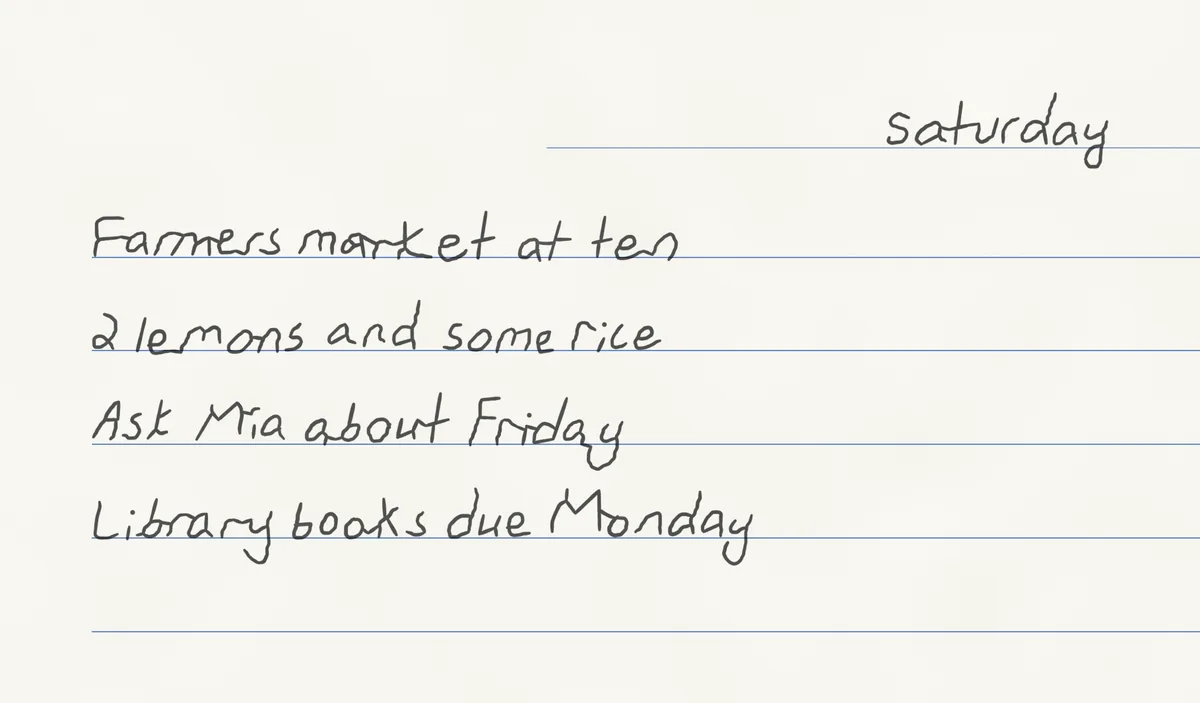
4. Check the page and fix what you need
Look over the whole page before you download it. Each character is placed on its own, so you can click one to move it, resize it (not in formulas), or give it another variant, and you can ask the AI to change a line; only that line is written again. Undo steps back through every change.
5. Download
Press Download at the top right and save the pages as a PDF.
Why it does not look like a font
A handwriting font stores one drawing per letter, so on a full page the same letters repeat. ymwrite places each character with small changes in shape, size, spacing and position, and often uses a different writing of the same letter. Math is laid out the way people write it: fractions stacked over a bar, exponents raised, matrices in brackets. Real handwriting vs handwriting fonts shows the difference side by side.
Questions
Is it free? Yes, a free account can write pages in the ready-made styles and download them, with no payment method needed. Writing Chinese in your own handwriting is part of YunMao Pro.
Can it write English? Yes. The ready-made styles write English, and once you have uploaded some of your own digits and letters, English is written in your own letters (a missing capital uses your own lowercase, anything else a ready-made style).
Do I get a font file? No. What you get are finished pages as a PDF; the handwriting styles stay inside your account.
Can I use it for school work? Use ymwrite only where AI help is allowed. If your school or employer does not allow it, do not hand in what it writes as your own work. The usage rules are in the acceptable use policy (in Chinese).
Next: Handwritten math answers on paper, step by step · Use your own handwriting
The English handwriting in these images comes from the GNHK dataset (GoodNotes, CC BY 4.0) and NIST Special Database 19.